



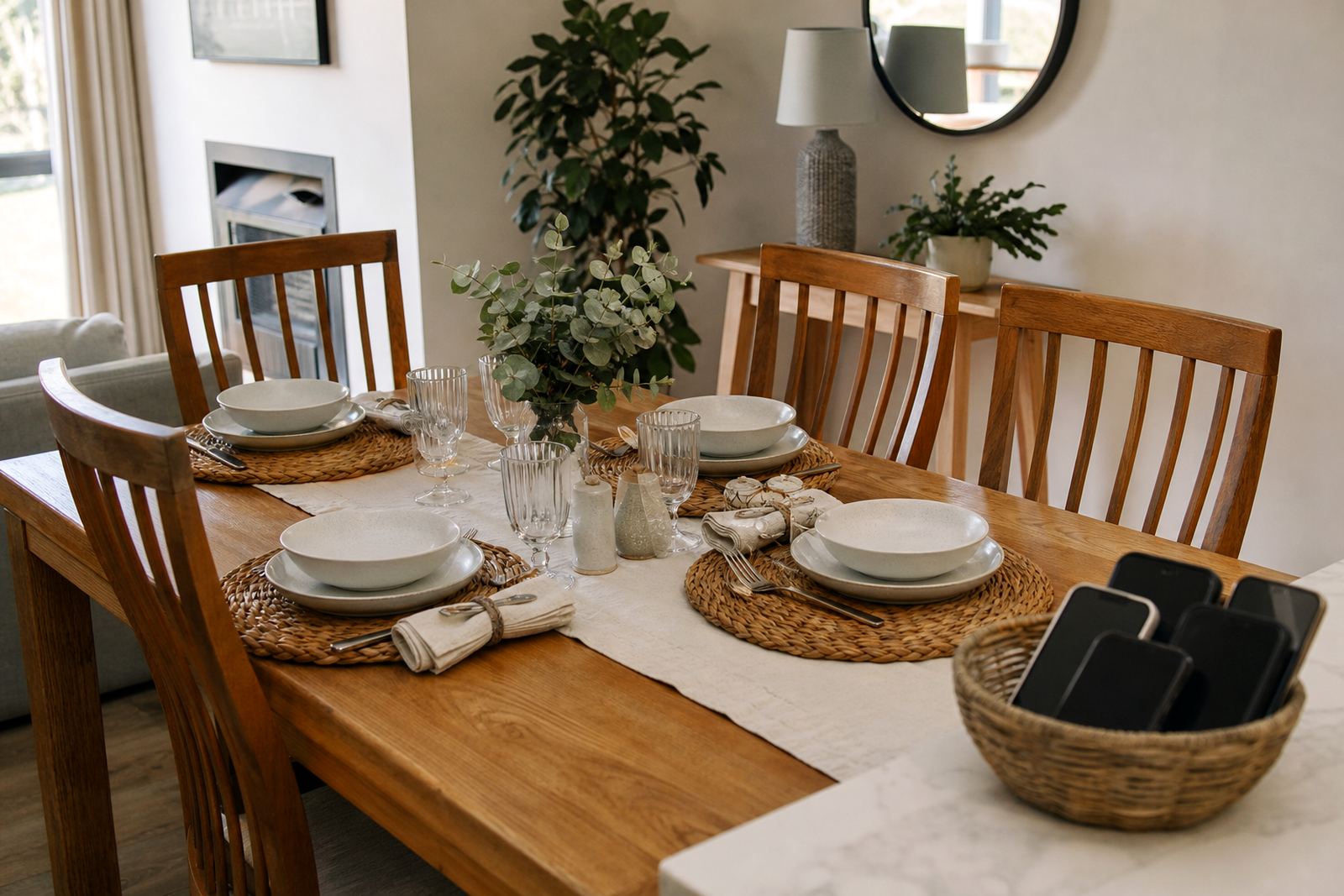

What a Screen Free Zone includes
A Screen Free Zone is a clearly marked part of the home where device use is not allowed, or is kept for emergencies only. Common examples include the dining table, bedrooms, study corners, the TV lounge during meals, and the entrance area where the family resets after school and work. The aim is simple: fewer interruptions, better routines and more face to face time.
For South African homes, the setup can be adapted to flats, family houses, shared homes and multi generational households. In a Durbanville townhouse you may only need one or two zones, while a larger home in Pretoria or Johannesburg might use separate zones for eating, sleeping and homework. The rules should be clear enough for children and adults to follow, because if the adults bend the rule the children usually will too.
Screen free zones for toddlers, tweens and teens
Screen Free Zones are usually planned as household rules and visual markers rather than fixed furniture. That makes them suitable for small flats, open plan homes, student-style family living spaces and larger homes with more than one living area. You can keep it simple with a single dining zone, or set up several areas with different levels of restriction.
- Small-home option: one shared family zone for meals and one no-phone bedroom rule.
- Medium-home option: kitchen table, bedrooms and charging area separated into clear zones.
- Large-home option: specific zones for meals, homework, quiet rest and weekend media time.
- Shared-care option: matching rules for two homes so children have the same routine after handovers.
If you live in a coastal area like Durban or Gqeberha, it also helps to keep charging points away from eating areas and damp corners, since moisture and clutter tend to build up together. A simple plan with labels and family rules often works better than complicated systems.
Where Screen Free Zones suit best
These zones suit families who want calmer meals, less bedtime screen drift and fewer arguments about device use. They are often used during school term, exam periods, weekends and holiday time when routines loosen.
Screen Free Zones are especially useful where there are younger children, teenagers or a mix of ages under one roof. They can support a family media plan, a teen rule reset, sibling fairness, bedtime routines and study time planning. They are also helpful for grandparents helping with childcare, because the house rules are easier to follow when the boundaries are visible and agreed in advance.
- Meal times without phones on the table.
- Bedrooms kept device-light for sleep and rest.
- Homework spaces used for study only.
- Entry areas used as a reset point before devices come back into use.
How setup works in the home
In most homes the setup is based on placement, labels and family agreement. The practical part is deciding which rooms are screen-free, where devices will be charged, and what happens when a child needs to make a call or use a phone for school work. A clear plan is easier to manage than a rule that changes every day.
We normally help families define the zone, write the rule in plain language and set the exception points. For example, a parent may allow one shared tablet in the kitchen for homework only, while keeping bedrooms device-free from a set time each evening.
- Can be marked with signs, labels or simple household reminders.
- Works with existing furniture and room layouts.
How families start using it
Rules should be checked when school terms change, when a child moves into high school, or when work schedules shift. A zone that worked in Grade 4 may need a different rule in matric, and a rule for exam month may not suit the December holidays.
Good upkeep usually means a short family check-in every few weeks. Confirm whether the rule is still fair, whether the charging spot is working, and whether everyone knows what to do when visitors come over. A quick reset once a month is often enough to keep things clear, especially in busy homes where routines can get muddled.
- Wipe labels or signs clean if they are on washable surfaces.
- Review exceptions after birthdays, school changes or travel.
- Move charging spots if the old one causes clutter.
- Update the household agreement if two homes need the same rules.
Before your first session
Before you place an order or request a family setup, check which rooms you want to include and who needs access exceptions. A good Screen Free Zone plan should match your home size, your child's age and your household routine. It should also fit the way your family already eats, studies and spends time together, rather than forcing a rule that nobody can keep.
Before your Screenage zone plan is set up, have these details ready: the number of children, the main problem times, whether the home is shared between two households, and whether grandparents or caregivers need the same guidance. If you are in Cape Town, Johannesburg, Durban, Pretoria or Bloemfontein, we can tailor the zone plan to your home pattern and daily schedule. If you are unsure about any child behaviour concern, speak to a qualified professional for proper advice.
- Rooms or areas to include.
- Any device exceptions for school, travel or emergencies.
- Preferred family rules for weekdays and weekends.
- Who in the home will help enforce the rule.
Quick facts
| Product type | Household screen-free zone planning for family routines |
|---|---|
| Use areas | Dining rooms, bedrooms, homework areas, entry spaces and shared living rooms |
| Home size fit | Suitable for flats, townhouses, family homes and shared-care households |
| Maintenance | Periodic family review, label refresh and rule updates |
| Typical support | New Family Onboarding, Family Media Plan Session, Bedtime Routine Session, Study Time Planning |